Pet Meme Videos With AI: What Works and What Does Not
 RemakeMeme Team
A realistic guide to AI pet meme videos from one photo: poses that work, fur and face limits, two-pet formats, safety, photo tips, and credit costs.
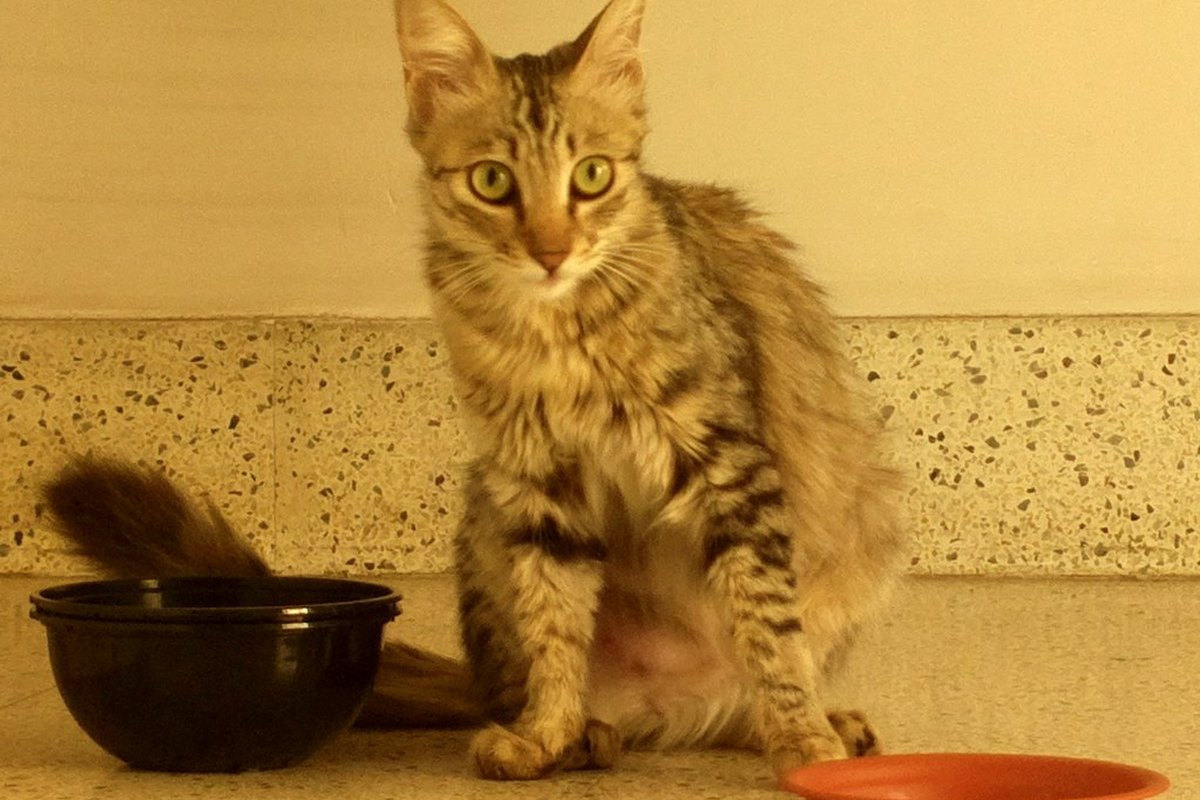
Pet photos are some of the most forgiving material you can give an AI video tool. A cat sitting still, a dog staring at a treat, a rabbit with its ears up: these are simple, front-facing subjects with clear silhouettes. They are also some of the least forgiving, because everyone who knows the pet will notice immediately when the markings are wrong or the eyes drift.
RemakeMeme.video is an AI meme-video remake studio, not a pet animation studio. You upload one or two photos, choose a format or write a prompt, and Standard Seedance 2.0 (kie.ai) renders a 720p clip at 4, 8, or 12 seconds. The output is a silent MP4 with no watermark. It is a good fit for short, funny pet clips that you finish with a trending sound in TikTok, Reels, or Shorts. It is not a way to produce a photorealistic film of your pet doing agility training.
RemakeMeme.video is an independent tool and is not affiliated with TikTok, Instagram, YouTube, any creator, or any song rights holder.
Here is what tends to work, what tends not to, and how to give the model a photo it can actually use.
What works: simple, readable pet actions
The best pet formats keep the animal in one place and give it one clear beat. That is not a limitation of your pet. It is a limitation of working from a single still image: the model has to invent every frame after the first, and the more it invents, the more the pet can change.
The head tilt
A four-second head tilt is the safest pet format. Use a head-and-shoulders photo with both eyes visible and the ears in frame. The tilt reads as curiosity or confusion, which is most of what pet memes need. Keep the motion small. A slight tilt with a hold at the end is more convincing than a fast snap.
The paw wave or sitting dance
An eight-second clip gives you room for a small paw lift, a weight shift, or a gentle sway. Keep the pet seated. A seated dog or cat has a stable body, so the model has less to reconstruct. Ask for one movement, not a sequence: "the dog lifts one front paw and holds it" is easier than "the dog waves, spins, and jumps."
The slow look-back
This works well with a photo taken from behind or at an angle, but it needs the face to be visible enough to preserve identity. A four- or eight-second look over the shoulder can be funny without any complicated motion. If the source photo is a strict profile, expect the far side of the face to be guessed.
The costume or accessory reveal
A pet in a bandana, a holiday collar, or a tiny hat is a reliable visual. The reveal format works better at eight seconds, with a stable background. Keep the costume simple and visible. If the source photo already includes the accessory, the model has a reference for it. If you are asking the model to add something that is not in the photo, expect it to improvise, and expect some inconsistency.
The two-pet duet
Two pets can work, but not from one photo of both of them. Use one photo per pet, each front-facing, each with a clear face. An eight-second clip is usually enough for a shared sway or a synchronized head tilt. Twelve seconds can work if the action is very simple.
Two pets in a single photo look convenient, but the faces are smaller and the bodies overlap. The model has to separate them, and that is where you get merged fur, swapped markings, or a third ear. Separate photos are the better input.
The announcement or reaction card
A pet sitting beside a blank space, with the joke added as text in your editing app, is a strong format. The video does not need to carry the whole joke. Make a calm four-second clip, add the caption and sound later, and let the still-ish nature of the shot work for you.
What does not work well
It is worth being honest about the limits before you spend credits.
Fast action and motion blur. A photo of a dog mid-run, a cat mid-jump, or a pet shaking its head is hard to animate from one frame. The model has to guess the body position, and the result often looks like a different animal. Choose a sharp, stationary moment.
Tiny pets in a wide frame. A pet on a large sofa or at the far end of a room gives the face very few pixels. Crop closer, or take a new photo. The face should be at least a third of the frame for reaction formats.
Low-contrast fur. A black cat on a dark sofa or a white dog against a white wall loses the edge of the body. The model may blur the outline or invent fur where there should be background. Put the pet against a contrasting wall, or use a blanket with a different tone.
Heavy patterns and fine markings. Fur markings are part of identity, but very fine details may simplify. A clearly marked face is easier to preserve than a subtle gradient. Do not expect every freckle and whisker to survive.
Complex tricks. Fetch, agility, jumping through a hoop, riding a skateboard: these are fun ideas, but they require the model to invent a lot of anatomy and physics. Paws, legs, and tails are common failure points. Stick to seated or standing actions with one moving part.
A photo where the pet is already stressed. Never pose or restrain a frightened animal to get a shot. A photo taken during a stressful vet visit, a bath, or a forced costume fitting is not worth using. The output may be funny to you, but the animal was not consenting to the joke. Use a calm moment at home, and if the pet walks away, stop.
Other people's pets without permission. A pet belongs to someone. Ask before you upload a photo of an animal that is not yours, especially if the joke involves the owner or the animal's appearance.
How to take a photo the model can use
The ideal pet photo is boring in the best way: one animal, facing the camera, sitting still, evenly lit, with the face large enough to read.
- One pet per photo. For a two-pet video, take two separate photos.
- Front-facing. Both eyes visible, nose toward the camera. A three-quarter angle can work, but a full profile gives the model less information.
- Sitting or standing still. A seated pose is more stable. For dance formats, include the full body or frame from the knees up, so the model knows where the legs are.
- Face at least a third of the frame. For a head tilt or reaction, go closer. For a full-body dance, you can pull back, but keep the head clearly visible.
- Even daylight. A window during the day is usually enough. Avoid direct flash, which can cause red-eye and harsh shadows. Avoid a bright window behind the pet.
- Contrast. A plain wall or floor that differs from the fur color helps the model find the outline.
- No filters, collages, or screenshots. Use the original photo. A screenshot of a screenshot loses detail.
- Keep accessories simple. A collar or bandana is fine. A busy harness, a toy in the mouth, or a hand holding the pet can obscure the face and body.
Take a burst of photos with a treat or a toy near the camera to get the pet looking forward. Pick the sharpest one with the most visible face. A good photo is worth more than a clever prompt.
Two-pet formats that stay readable
Two pets are a bigger challenge than two people because their silhouettes can merge. The formats that work usually keep each animal in its own space.
- Side-by-side sway. Each pet has its own photo, framed similarly. The prompt asks both to sway gently in place. Eight seconds.
- Alternating head tilt. One pet tilts, then the other. This can be done as two short clips edited together, which is often more reliable than asking one render to coordinate both animals.
- The stare-down. Two head-and-shoulders photos, both pets looking toward the camera. Four seconds. The joke is in the matching expressions.
- The duo entrance. One pet is already in the scene, the other walks in. This needs full-body photos and a simple background. Eight or twelve seconds.
If the two pets look alike, expect more blending. Contrasting fur colors, different collar colors, and separate photos all help the model tell them apart.
Realistic expectations
An AI pet video is a generated interpretation of your photo, not a documentary record. The model can preserve the general shape, color, and expression, but it may simplify markings, change the shape of an ear, or produce a paw that looks slightly wrong. Short clips are more consistent than long ones. Four seconds is the safest, eight seconds is the usual sweet spot for a small action, and twelve seconds works best when the scene is simple and the camera does not move much.
The site does not guarantee a perfect likeness from a blurry photo. If the only photo you have is dark, soft, or taken from far away, the result will reflect that. It also does not add the original song. The MP4 is silent, with no watermark, and you add the sound in the app where you post.
Content moderation checks text, images, and the finished video. Photos of minors and public figures are refused. That includes a photo where a child is holding the pet. Only upload people and animals you have permission to use.
What it costs
Credits are charged only when a render succeeds. Failed renders are refunded automatically. A 4-second clip costs 10 credits, an 8-second clip costs 20, and a 12-second clip costs 30.
Monthly plans start at $9.90 for 20 credits, and there are larger tiers if you are making a batch. One-time packs are also available, starting at $9.90 for 10 credits. One-time credits never expire. Monthly credits expire at the end of the billing month, and yearly credits expire at the end of the billing year. The full breakdown is on pricing.
For a first pet video, one 8-second render is a sensible test. If the photo and format work, make a few variations at 4 seconds for reactions. If the first result drifts, do not immediately buy more credits. Change the photo or simplify the action first.
A simple workflow
Pick a pet-friendly format from the template library, or start from a prompt. Upload one photo per pet, describe the action in one sentence, and choose a duration. A render usually takes 5 to 10 minutes, and the page shows real states rather than a fake percentage.
No account is needed. Enter an email at checkout, pay once, and the finished video is sent to that email with a private link. Later, you can sign in with the same email using a six-digit one-time code and see the video under My Videos. If you want a walkthrough of the whole flow, read how to remake a meme video.
Pet memes work when the photo is clear and the idea is small. One pet, one pose, one action, one sound: that is usually enough. The goal is not to trick anyone into thinking the animal really danced. The goal is to make something that feels like your pet, and to have fun with the format without stressing the animal in the process.
FAQ
Can I use one photo with both of my pets in it? It is possible, but it is not the best input. The faces are smaller and the bodies overlap, which makes merging more likely. Use one clear photo per pet. The render accepts up to two photos.
Will the fur pattern stay exactly the same? Not guaranteed. Clear, high-contrast markings are easier to preserve, but fine details may simplify. A sharp, evenly lit photo gives you the best chance. A blurry or dark photo gives the model much less to work with.
Can my pet do a real dance? A gentle sway, a paw lift, or a head tilt can read as dancing, especially with the right sound. Complex choreography, fast spins, and jumps are much harder to keep coherent. Keep the movement small and the clip short.