Two-Person Meme Video Ideas That Work With One Photo Each
 RemakeMeme Team
Practical two-person meme formats, photo tips, consent notes, and prompt advice for making a short AI video when each person has only one photo.
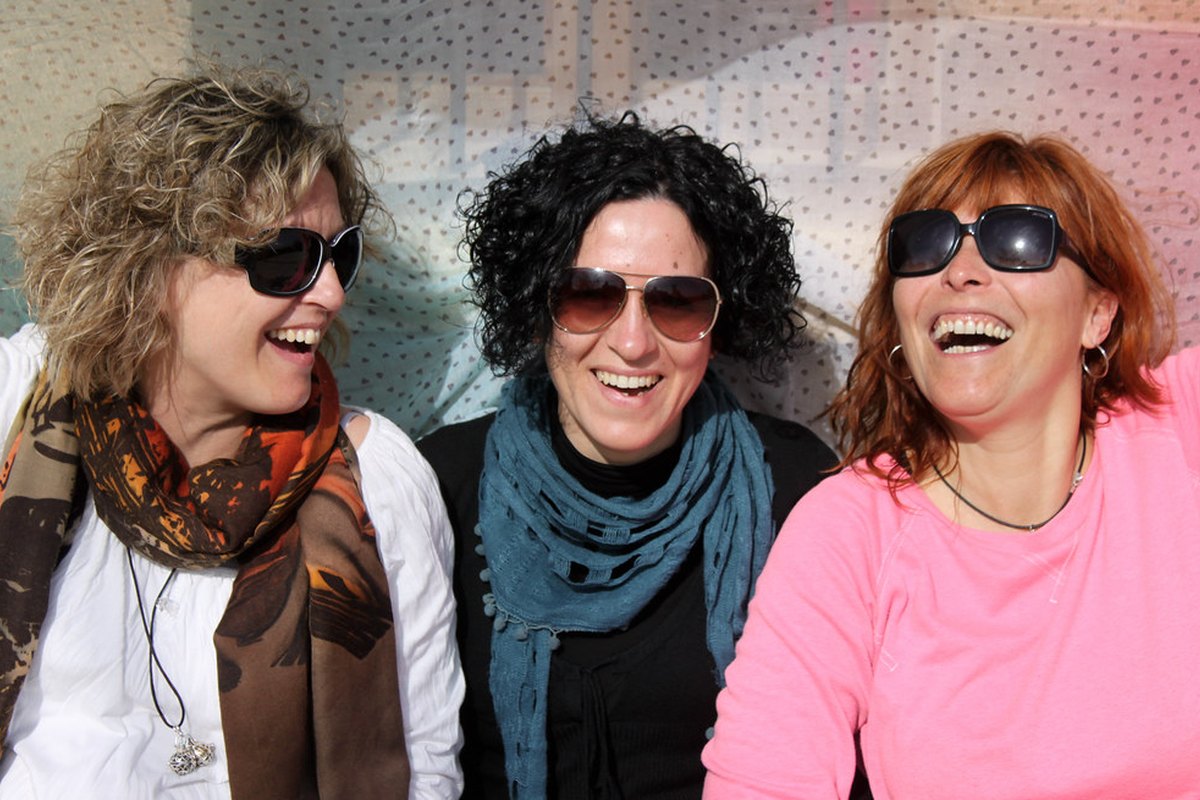
Two-person meme videos look like they need a full photoshoot. Most of the time they do not. What they need is one usable photo of each person, taken under roughly similar conditions, plus a clear idea of what the two people should do for a few seconds.
RemakeMeme.video is built around that constraint. You upload one or two photos, choose a format or write a prompt, and Standard Seedance 2.0 (kie.ai) renders a 720p vertical or horizontal clip. Clips run 4, 8, or 12 seconds and cost 10, 20, or 30 credits. The output is a silent MP4 with no watermark, so you add the trending sound yourself in TikTok, Reels, or Shorts. That last detail matters for two-person formats, because the timing of the sound is usually what makes the joke land.
RemakeMeme.video is an independent tool and is not affiliated with TikTok, Instagram, YouTube, any creator, or any song rights holder.
This guide covers formats that genuinely work with one photo per person, how to take those photos separately, what to do about consent, and where renders usually go wrong.
Why separate photos usually beat one group photo
A group photo feels convenient, but it gives the model very little face to work with. Two people standing side by side in a wide shot might each occupy a small part of the frame. When the model animates the scene, it has fewer pixels to preserve identity, and the faces can start to blend into one another. Similar-looking friends or siblings make this more likely.
Two separate photos solve most of that. Each person gets a clear, front-facing reference image with enough detail in the face. RemakeMeme accepts up to two photos per render, which fits a duo naturally.
There is a limit worth respecting: two photos means two people. If you want a group of four, do not squeeze four faces into one image and hope for the best. Make two duo renders, or make solo renders and edit them together. The results will be more consistent, and you will spend less time troubleshooting.
How to shoot one photo per person, separately
The goal is not identical photos. The goal is photos that give the model the same kind of information. Ask each person to follow the same short checklist, even if they are in different places.
- Camera height: chest height or eye height, held level. A photo shot from below makes one person look tall and one look short when the clips are combined.
- Distance: waist-up or knees-up, with the face at least a third of the frame. For reaction formats, go closer: head and shoulders.
- Light: even, soft light on the face. A window during the day is usually enough. Avoid a strong lamp on one side, deep shadows, or a bright window directly behind the head.
- Background: a plain wall or a simple room. Two different busy backgrounds make the final scene look like a collage.
- Expression: eyes open, face relaxed, mouth closed or a slight smile. A neutral expression gives the model room to animate. A huge expression can work for a reaction, but it limits what else the face can do.
- Obstructions: no sunglasses, no mask, no hair covering the eyes, no hand in front of the face. The model has to guess what it cannot see, and guessing is where drift starts.
- Quality: a sharp original photo, not a screenshot, not a heavily filtered image, not a picture of a picture.
Take ten shots and pick one. The difference between a sharp, evenly lit photo and a slightly blurry one is larger than most prompt changes.
For dance formats, frame from the knees up or include the whole body. If the feet are cut off, the model may invent them or let the person float. For reaction formats, head and shoulders is enough. Framing the two people the same way also makes height differences easier to manage: if both photos are cropped at the knees, the final scene reads as a normal pair rather than a giant and a borrower.
Formats that work with two people
Not every meme idea needs choreography. The formats below rely on a simple action, a reaction, or a before-and-after beat. They are also easier for the model to keep consistent.
| Format | Framing per photo | Suggested length | Why it works | | ------------------------ | --------------------- | ---------------- | -------------------------------------- | | Double reaction | Head and shoulders | 4 seconds | Two expressions, almost no body motion | | Mirror dance | Knees-up or full body | 8 seconds | Simple sway, clap, or point | | Walk-in entrance | Full body | 8 or 12 seconds | One clear movement into frame | | Beat-drop nod | Head and shoulders | 4 seconds | Small synchronized motion | | Outfit or costume reveal | Full body | 8 or 12 seconds | A clear before-and-after change | | Parent and adult child | Knees-up | 8 seconds | Height difference is easy to frame | | Sibling stare-down | Head and shoulders | 4 seconds | Reaction-driven, no footwork |
The double reaction
This is the simplest two-person format. One person reacts with surprise, confusion, or disapproval; the other person holds a calm or smug expression. Cut between them, or place them side by side. Four seconds is usually enough. The joke comes from the contrast, not from movement.
Keep the expressions readable but not extreme. A face that is already mid-scream in the photo has nowhere to go, and the model may distort it further.
The choreography-free dance
A lot of two-person dance memes are not really dances. They are a shared rhythm: both people shift their weight, clap once, point at the camera, or do a small synchronized turn. The model does not hear the song, so you are really asking for a short, repeatable movement that you can cut to the beat later.
Keep feet planted or take one small step. Keep hands visible and away from the face. Avoid fast footwork, spins that hide the face, and lifts. If one person has limited mobility, a seated version works: both people seated, same framing, simple upper-body movement. The format does not require athleticism.
The entrance
One person walks into frame while the other is already there. This works well at 8 seconds, or 12 seconds if you want a longer build. Use full-body photos and a simple background. The model needs to understand where each person starts, so say that in the prompt: who is already in the scene, who enters, and from which side.
The outfit or costume reveal
The reveal format works with two photos of the same person, or one photo of each person if they are changing together. The clip starts in everyday clothes and ends in the outfit. Eight seconds gives the change room to read; twelve seconds is better if there is a walk or a turn. Keep the background stable so the change is the focus.
The parent and adult child
A parent and an adult child can use the same two-person formats as anyone else. The important limit is that RemakeMeme does not accept photos of minors. Content moderation checks text, images, and the finished video, and photos of minors are refused. For family formats, use photos of adults only, with their permission.
The sibling stare-down
Siblings often have a natural contrast that makes a four-second reaction clip work: one deadpan, one delighted, or both suspicious. Use head-and-shoulders photos against similar backgrounds. The format is forgiving because there is very little motion to drift.
Photo pairings that hold together
The final clip looks believable when the two source photos feel like they came from the same world, even if they were taken on different days.
- Match the light direction. If one photo is lit from the left, the other should not be lit from the right. A window on the same side in both photos is an easy fix.
- Match the white balance. One warm indoor photo and one cool outdoor photo will look like two different scenes. Avoid heavy color grading on either.
- Match the camera height. This is the most common cause of a strange height mismatch. Both photos should be taken at roughly chest height.
- Match the crop. Both knees-up, or both head-and-shoulders. Mixing a close-up with a full-body shot makes the model guess at scale.
- Prefer similar backgrounds. A plain wall in both photos gives the render a chance to place the two people in one coherent room.
If the photos cannot be matched, lean into a format that separates the two people: a split-screen reaction, or a two-shot where each person occupies their own side. Separation hides inconsistencies that a shared scene would expose.
Consent and boundaries
Only upload photos of people who have agreed to appear. That includes friends, partners, siblings, parents, and coworkers. A private joke is still an image of a real person, and it can travel further than you expect.
RemakeMeme also refuses photos of minors and public figures. Do not try to work around that with a group photo or a costume. If someone asks you to remove a video later, remove it. The tool is for playful formats, not for embarrassing someone who did not sign up.
Common failures and how to avoid them
Face swapping or blending. This usually happens when both faces appear in one photo, when the two people look very similar, or when one photo is much sharper than the other. Use one photo per person and keep the faces clearly separated in the prompt.
Height mismatch. A low-angle photo of one person and a high-angle photo of the other will produce an odd pair. Reshoot at the same height, or crop both to knees-up so the model has less room to invent scale.
Floating or missing feet. Full-body formats need the feet in frame, or a clear crop above the ankles. If the source photo ends at mid-shin, the model may create strange feet or let the person hover.
Different energy. One person grinning and one person staring blankly can be funny, but it can also read as two unrelated clips. Decide whether the contrast is the joke. If it is not, ask both people for a similar neutral expression.
A prompt that asks for too much. Two people, a costume change, a camera move, and a complicated dance in eight seconds is a lot. Pick one action and one emotional beat.
Prompt tips for two-person renders
Write the prompt like a short scene description, not a list of facial features. The photos already carry identity; the prompt carries blocking, action, and mood.
- Say who is where: "the person on the left," "the taller person," "the person in the blue shirt."
- Give one action per clip: they turn toward each other, one walks in, both clap once.
- Describe the setting and light in a few words: "plain living room, soft daylight."
- Avoid contradictory instructions, such as "standing still while spinning."
- Do not ask for a perfect likeness. It does not improve the result, and the model cannot guarantee one.
- For a two-beat joke, choose 8 seconds. For a single reaction, 4 seconds is often enough.
- If the first render drifts, shorten the clip and simplify the action before changing the photo.
A simple workflow
Start with the template library and pick a two-person format that matches the photos you already have. Read how to remake a meme video for the end-to-end flow. Upload one photo per person, write a short scene prompt, and choose 4, 8, or 12 seconds. A render usually takes 5 to 10 minutes, and the page shows real states rather than a fake percentage.
You do not need an account. Enter an email at checkout, pay once, and the finished video is sent to that email with a private link. Later, you can sign in with the same email using a six-digit one-time code and find the video under My Videos. Credits are charged only when a render succeeds; failed renders are refunded automatically.
The clip arrives silent, with no watermark, and the site does not add the original song. Add the sound in the app where you plan to post. If you are comparing durations, pricing lists the credit cost and the subscription and one-time packs. A 4-second clip costs 10 credits, an 8-second clip costs 20, and a 12-second clip costs 30. One-time credits never expire; monthly credits expire at the end of the billing month, and yearly credits at the end of the billing year.
Two-person formats are less about technical tricks and more about preparation: one clean photo each, matching light, a simple action, and a duration that gives the joke room without giving the model time to drift. Get those right, and the sound does the rest.
FAQ
Can we use one group photo instead of two separate photos? It can work for a quick test, but it is not the best input. Faces in a group photo are smaller, and two faces close together are more likely to blend. Use one clear photo per person when you can. The render accepts up to two photos.
Do both people need to be in the same place? No. The photos can be taken separately, as long as the lighting, camera height, and framing are similar. That is usually easier than trying to coordinate a shoot.
Can we use a photo of a child or a famous person? No. Photos of minors and public figures are refused by content moderation. Use photos of adults who have given you permission, and only upload people you have the right to depict.